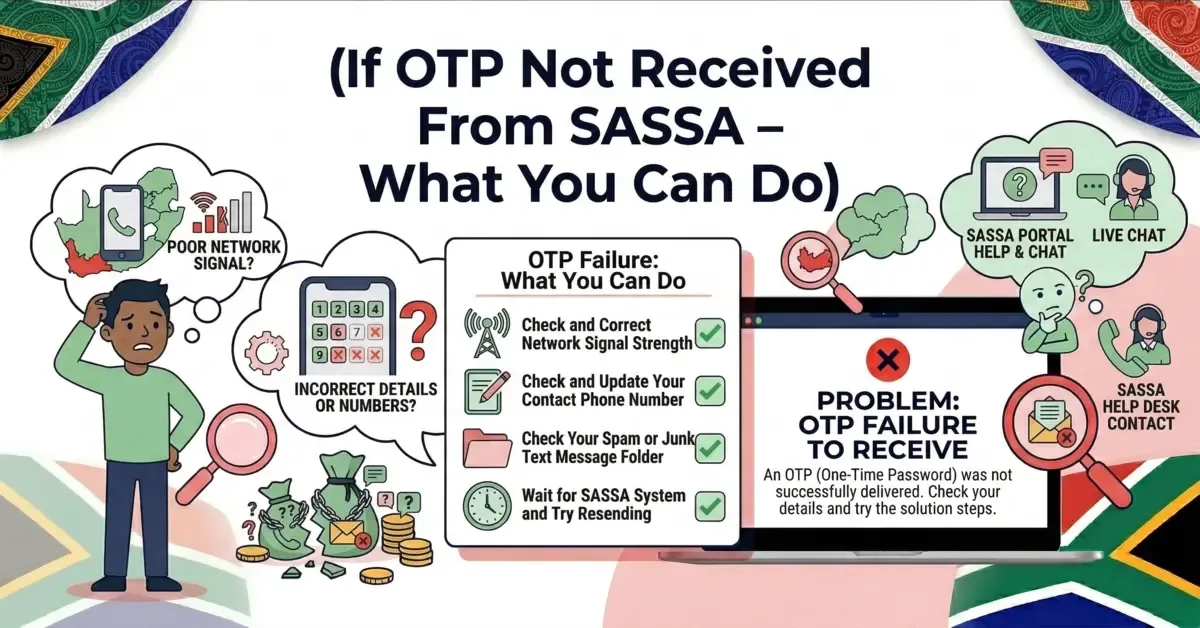
Waiting for an OTP from SASSA but not receiving it can be frustrating. Many people face this issue when they are applying for the SRD grant, checking their status, verifying identity, or updating bank details.
An OTP (One-Time Password) is important because it confirms that the request is really coming from you. Without the OTP, you cannot complete many actions on the SASSA portal.
If your OTP is not arriving on your phone, do not panic. In most cases, the issue is simple and can be fixed easily.
Why You Are Not Receiving the SASSA OTP
There are several reasons why the OTP message may not reach your mobile phone. Understanding the cause will help you fix the issue faster.
1. Wrong Phone Number
The most common reason is an incorrect phone number.
If the phone number registered with SASSA is wrong, expired, or no longer active, the system cannot send the OTP to your device.
This often happens when people change their SIM card but forget to update their number on the SASSA portal.
2. Weak Network Signal
Mobile network problems can also delay OTP messages.
If your phone has a weak signal or unstable network connection, the OTP SMS may arrive late or not arrive at all.
This problem is common in areas with poor network coverage.
3. SMS Blocked or Marked as Spam
Sometimes mobile phones automatically block unknown messages.
Your phone settings or your mobile network provider may treat the OTP SMS as spam or promotional messages.
When this happens, the OTP message is blocked before reaching your inbox.
4. SASSA System Delays
Another possible reason is system delay.
During peak hours, thousands of people try to access the SASSA system at the same time. This can slow down the system and delay OTP messages.
For example, when payment dates are near, the system receives a large number of requests.
5. Full Message Inbox
If your SMS inbox is full, your phone may stop receiving new messages.
Many people forget to delete old SMS messages, which can prevent new OTP messages from arriving.
What You Can Do If SASSA OTP Is Not Received
If you are not receiving your OTP, try the following solutions. These steps solve most OTP problems.
1. Check Your Registered Phone Number
First, confirm that the phone number registered with SASSA is correct.
If your number has changed or your SIM card is no longer active, you must update your phone number on the SASSA portal.
Make sure the number you entered is active and able to receive SMS messages.
2. Wait and Request OTP Again
Sometimes the system simply needs a little time.
Wait for a few minutes and then request the OTP again.
However, do not send too many OTP requests at the same time because the system may temporarily block your request.
It is better to wait 2 to 3 minutes before requesting another OTP.
3. Check Your Mobile Network
Look at the signal bars on your phone.
If the signal is weak, try moving to a place with better network coverage. You can also restart your phone to refresh the connection.
Sometimes a simple restart helps the phone reconnect to the network.
4. Clear Some SMS Messages
If your message inbox is full, delete old or unnecessary messages.
After clearing some space, wait for the OTP message again.
Your phone needs free storage to receive new SMS messages.
5. Turn Off Flight Mode or Do Not Disturb
Many users accidentally keep their phone in Flight Mode or Do Not Disturb mode.
When these modes are active, your phone may block incoming messages.
Make sure both modes are turned off so your phone can receive system messages.
6. Check Dual SIM Settings
If you are using a dual SIM phone, make sure the SIM registered with SASSA is active.
It should also be placed in the main SIM slot and should be able to receive SMS messages.
Sometimes phones receive system messages only on the primary SIM.
7. Restart Your Phone
A simple restart can fix many mobile network issues.
Restarting the phone refreshes the network connection and clears temporary system errors.
After restarting, try requesting the OTP again.
8. Try Again During Non-Peak Hours
If the SASSA system is overloaded, OTP messages may take longer to arrive.
Try again later when fewer people are using the system.
Early morning or late evening often works better.
Important Tips When Waiting for SASSA OTP
Keep these tips in mind to avoid OTP issues in the future:
- Always keep your registered phone number active.
- Do not request OTP multiple times quickly.
- Make sure your phone can receive SMS messages.
- Keep your phone network signal strong.
- Update your contact details if your SIM changes.
Following these tips can prevent most OTP problems.
When You Should Contact SASSA
If you have tried all the steps above and still do not receive your OTP, the issue may be related to your account.
In this case, you should contact SASSA support for help.
They can check your registered phone number and confirm whether the system is sending the OTP correctly. Before contacting support, make sure you have your ID number and registered phone number ready.
Final Words
Not receiving a SASSA OTP can stop you from completing important tasks like checking your SRD status, verifying identity, or updating bank details.
However, most OTP problems are simple and can be fixed quickly. By checking your phone number, improving network signal, clearing your inbox, and waiting a few minutes before requesting another OTP, you can usually solve the issue.
If the problem continues, contacting SASSA support is the best option. With the right steps, you can receive your OTP and continue your application without stress.
Share this guide with someone who needs it.
💬 Comments (0)
No comments yet. Be the first to share your thoughts.
Leave a Comment