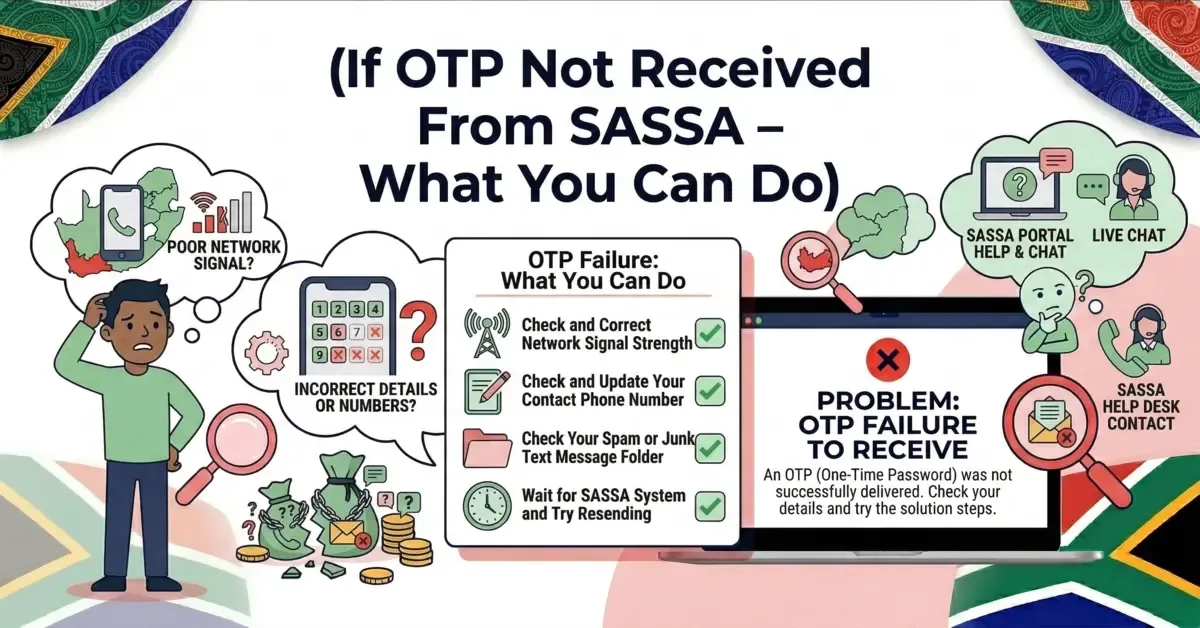
If OTP Not Received From SASSA – What You Can Do
Waiting for an OTP from SASSA but not receiving it? Find out the common reasons OTP messages get delayed and 8 simple fi...
Read More →Checking SRD status is now easy and fast. Just enter your South African ID and mobile number in the official portal by visiting srd.sassa.gov.za. Then click the Check Status button. You will get all the information of your current application status. You will see the status of your application like Approved, Pending or Declined.
SASSA has announced the SRD R370 grant schedule for May 2026. If you are a beneficiary of SRD, then it is very important to stay updated. Moreover, you can check the exact date of your money easily. Unlike other regular social grants given by the government, the SRD R370 has no fixed payment date. For May 2026 SASSA will begin payments later in the month for approved applicants. To find the exact date, regularly check your status.
If you want to apply for the SASSA SRD grant, you must meet the eligibility requirements. Check the full SASSA SRD Eligibility Criteria here.
| Grant Type | Payment Date | Amount | Increase |
|---|---|---|---|
| Old Age Grant (60-74 Years) | 02 May 2026 | R2,400 | +R80 |
| Old Age Grant (75+ Years) | 02 May 2026 | R2,420 | +R80 |
| Disability Grant | 07 May 2026 | R2,400 | +R80 |
| Care Dependency Grant | 07 May 2026 | R2,400 | +R80 |
| War Veterans Grant | 02 May 2026 | R2,420 | +R80 |
| Foster Child Grant | 08 May 2026 | R1,290 | +R40 |
| Child Support Grant | 08 May 2026 | R580 | +R20 |
| Grant-in-Aid | 02 May 2026 | R580 | +R20 |
| SRD Grant | 20-30 May | R370 | No increase |
Select any grant to see the current amount versus the new May 2026 amount with the confirmed increase.
Your SASSA status tells you the current stage of your SRD grant application. It shows exactly whether your application has been approved, declined or pending. When you check your SASSA status it tells about your grant application or whether you are going to receive a payment.
It means SASSA has approved your application and confirmed that you qualify for the SRD R370 grant. They have also given you your payment date.
Pending Status means SASSA is still checking your application. They are cross-verifying your details in several databases, such as Home Affairs, UIF, and SARS. You don't need to do anything right now. If there is any issue, SASSA will contact you. You can check your SRD status again later.
SASSA has declined your application and given you a reason for it. Some possible reasons could be: your monthly income is higher than the SASSA limit, your bank records show higher deposits, you are receiving another grant like UIF, or your identity details did not match during verification.
You need to reapply for the SRD grant because SASSA wants to confirm your details again. This could be because your old application has expired, you didn't confirm it when SASSA asked, or you changed your phone number or bank information. SASSA reviews the data of all grant recipients every month.
When you were filling out your SASSA application, you didn't choose a payment method, or you entered your bank details incorrectly, such as the account number or branch code. It could also mean your bank has not yet confirmed your account with SASSA.
Your application/payment has been approved, but you have not yet chosen a payment method in your SRD SASSA portal. You can log in to the SASSA website and add your bank account so that the payment goes directly. If you don't want to use a bank account, you can select a Post Office branch.
SASSA has cancelled your application, and you cannot receive the grant right now. This could be because you do not meet SASSA eligibility criteria, there was fraudulent activity, or you submitted the application multiple times. You will need to reapply.
Your application was sent successfully and SASSA has received it. Soon, the status may change to "Pending" or something else as they start reviewing it.
eKyc Pending mean SASSA is still checking your personal & bank details with Home Affairs database. Once the verification is complete your payment will be approved.
SASSA has found that you are earning money from another source, receiving another grant, or working at a job. Your monthly income is higher than the SASSA allowed limit, so they have shown the "Income Source Identified" status.
You can use our tool but there are updated methods to check your SRD status through official and other helpful options.
Go to the official SASSA SRD website srd.sassa.gov.za. Look for the section of "Check Status" or "Check Status Online." Enter your South African ID number and the mobile number you entered when applying. Click the "Submit" or "Check Status" button. Wait a few moments. Now, your SRD status for different months will appear on the screen.
Open the Phone app on your mobile. Now Dial *120*69277# or *120*3210#, then press the call button. A menu will pop up on your screen. Choose the option that says "SASSA Status" or "SRD Status". Now enter your ID number and phone number. The system will show your SRD status for the current month on your screen.
First save 082 046 8553 to your phone contacts. This is the official SASSA WhatsApp number. Start a new chat with the number you just saved. Type a word like "SASSA" or "Status" and send it to begin. SASSA will send you questions. Just reply by choosing the right options. You will have to give your South African ID number and the cellphone number you used when you applied.
First, download the official SASSA app from a trusted source like the Google Play Store or Apple App Store. Make sure it's the real SASSA app. Once downloaded, install the app on your phone. Open the app and sign up or log in if you are already a beneficiary. Go to the section of "Check Status". Now, enter your South African ID number and the mobile phone number you gave during registration. Tap "Submit" or "Check Status." The system will show your R370 grant status on the screen right away.
Use the official SASSA website or call their helpline to locate the office closest to you. Take your South African ID and mobile number. Visit the office on a weekday during working hours to avoid any struggle. Once inside, go to the help desk or information counter and ask to check your SRD R370 grant status. Share your ID number and cellphone number with the SASSA staff when asked. The staff will check the system and tell you whether your application is Approved, Pending, or Declined.
Dial the SASSA toll-free number 0800 60 10 11 from your phone. Carefully listen to the instructions and select the option for the SRD grant or status check. The system will ask you to enter your South African ID number and registered cellphone number. The system or call agent will tell you the current status of your application, whether it's Approved, Pending, or Declined.
Checking SASSA SRD grant status using an MTN SIM is simple and easy. This SIM does not need any data and there is no need to have a smartphone. Dial the USSD code *134*7737# on your MTN phone. A prompt screen will appear, select the relevant option to check your grant status. Now enter your details by entering your South African ID number and mobile number. After submitting your details, the system will display your status.
When you apply for the SASSA SRD R370 grant, your identity is verified. This means SASSA checks your personal information with the Department of Home Affairs (DHA) to make sure everything is correct. This step is very important to move your application forward. There is no separate platform for identity verification. SASSA includes your identity status in your main SRD application. You can check your verification by using the official SASSA Status Check platform.
Pending DHA VerificationIt means SASSA is still checking your ID details with Home Affairs.
Identity Verification FailedThis status informs that SASSA could not find your given information with DHA records.
ReferredSASSA could not match your details with DHA records and verification needs review.
Awaiting Identity VerificationThe authorities are still checking your identity.
Long-term PendingA long Pending status indicates that the identity verification process is taking too much time.
Once DHA records are correct, SASSA identity verification typically takes 5 to 14 working days to process.
If you want to receive your SASSA SRD R370 grant through a different bank account or payment option, you can update your payment method by following these steps.
If your R370 grant is approved but you have not received any payment, here is a simple explanation of what is the reason for the payment delay.
Your status is approved but SASSA will not release any payment until a payday is generated. This issue normally happens when they are still finalizing bank verification or processing your payment day.
If your banking details are not found on records, the payment is paused until you update or verify your bank details again. Payments will not be transferred if your account is closed, inactive, or not in your name.
If you choose a Postbank or CashSend option, there might be a delay. This delay happens due to high demand, card migration issues, or ID verification pending.
Sometimes the SASSA department faces some technical backlogs, especially after public holidays or system updates. This can delay the process of payment dates, even for approved grants.
If you still use the old gold card, your payment may be blocked until you switch to the new black card, especially in regions like Western Cape.
If your SASSA status is still on Pending for several months it clearly means that your application is still in process or being reviewed. But there are some common reasons it might be taking longer than normal time periods.
SASSA works with other government departments to verify your details like ID number, bank details or more. If something is missing or your details are not found on records then your status is still pending.
The government has introduced a fraud check process to make sure that only the needy persons will receive grants. This process usually takes time especially if your record is unverified for any reason.
There are millions of applications for SRD grants. This specially begins at a new cycle or if there is a technical problem or there is a system update.
If SASSA has sent a verification SMS for ID verification or some other verification and you did not respond in 72 hours, your application is still pending. Always check your messages for SASSA alerts.
SASSA can temporarily block your SRD grant at any time. In many cases they do it without giving notice. The SASSA department does not always send an SMS or letter manually before stopping the grant. Sometimes the system automatically raises issues and blocks the payment. But it is the beneficiary's duty to regularly check the status on the official website or app to stay updated.
If your ID number is not found in Home Affairs records or the bank account is not in your name, then SASSA will block your status until you verify these details again.
If the system detects that you are receiving income more than R624/month or if your employment status has changed, then they may stop your payments. This can also affect UIF, NSFAS or other government grants.
If your details are found to be duplicate, in some possible fraud, or if someone is using your ID, then SASSA can freeze your grant without any notice and they will also investigate.
If your bank account is closed, frozen or is not active, the grant cannot be delivered. The grant would be blocked until you fix this problem.
If your SASSA SRD grant application was declined, you still have the right to do an appeal and get your grant reviewed. It is a simple process, and many beneficiaries successfully receive their grant after appealing.
Follow the step by step guide on How To Do An Appeal On Decline to submit your appeal correctly and increase your chances to get grant approval.
You must submit your appeal within 30 days of receiving the declined status notification. After 30 days your appeal may not be accepted.
If your grant is late or you want to update your details or want to make an appeal, the following options will show you easy ways to contact SASSA and get the help you need.
This is a free number you can call to talk to a SASSA agent. You can ask about late payments, your application status, or how to fix things like wrong bank details. It's totally free, so you don't need airtime to call.
Save this number and send the word Status to begin. The SASSA WhatsApp service guides you through checking your status step by step.
You don't have to wait in line or call SASSA. You can do many things yourself on the official SASSA SRD website.
Use an official support email if you have questions about regular SASSA grants or if you need help with the R370 SRD grant. For example: My application was approved but I didn't get the money.
You can visit a SASSA office to talk to someone in person. This is helpful if you don't have the internet, lost your phone, or have a problem with your ID. Just take your documents with you.
Follow SASSA on Facebook or Twitter/X. They share news, payment dates, and sometimes reply to basic questions in comments or messages.
Quick links to the guides South Africans search for most often — payments, status, appeals and eligibility.
SASSA collaborates with Shoprite to offer loans for South African beneficiaries facing eme...
#2Complete guide to SASSA grant eligibility criteria for 2024/2025. Includes SRD R370, Old A...
#3Complete 2026 guide to all SASSA grants Old Age, Disability, War Veterans, Foster Child, C...
#4SASSA status showing declined? Find out the top 10 reasons why your R370 grant gets reject...
#5Declined, rejected or expired SASSA application? Reapply for the SRD R370 grant eligibilit...
#6If you have already applied for the SASSA SRD grant but entered incorrect details like you...
Waiting for an OTP from SASSA but not receiving it? Find out the common reasons OTP messages get delayed and 8 simple fi...
Read More →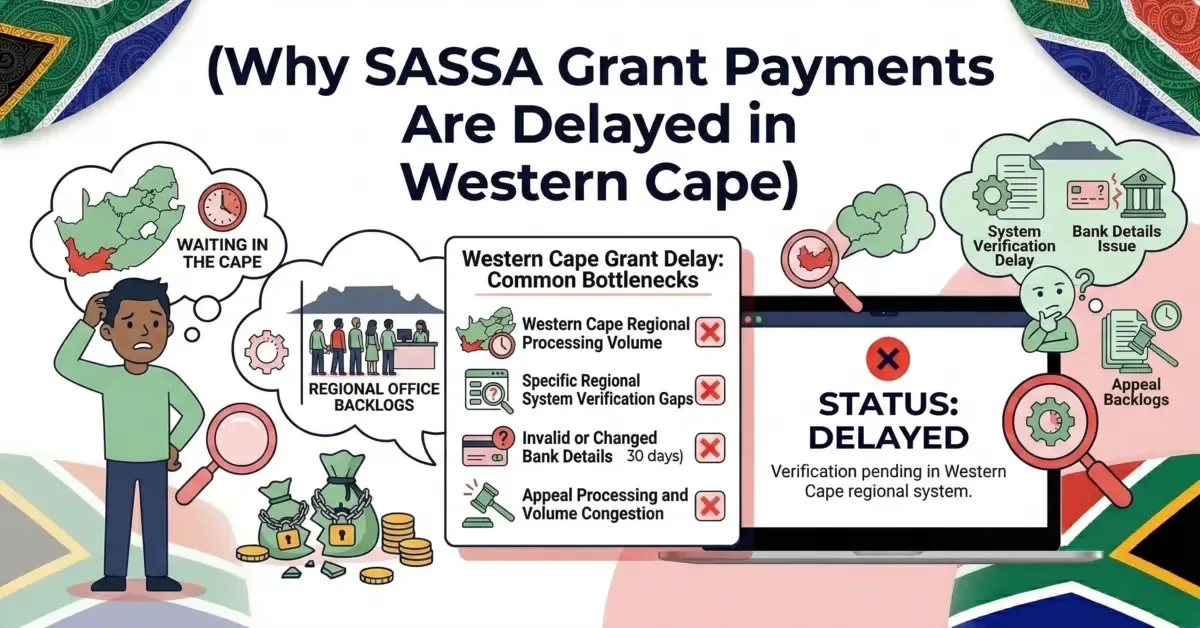
Thousands of SASSA beneficiaries in Western Cape are facing payment delays in 2026. Find out the main reasons identity c...
Read More →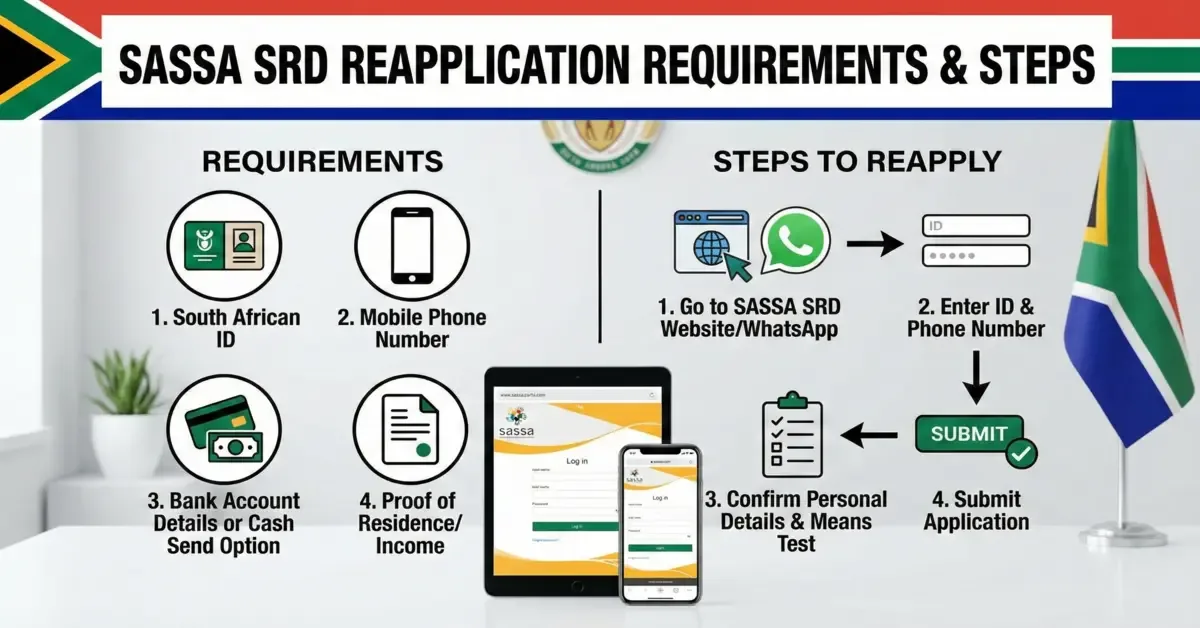
Declined, rejected or expired SASSA application? Reapply for the SRD R370 grant eligibility, online and in-person reappl...
Read More →